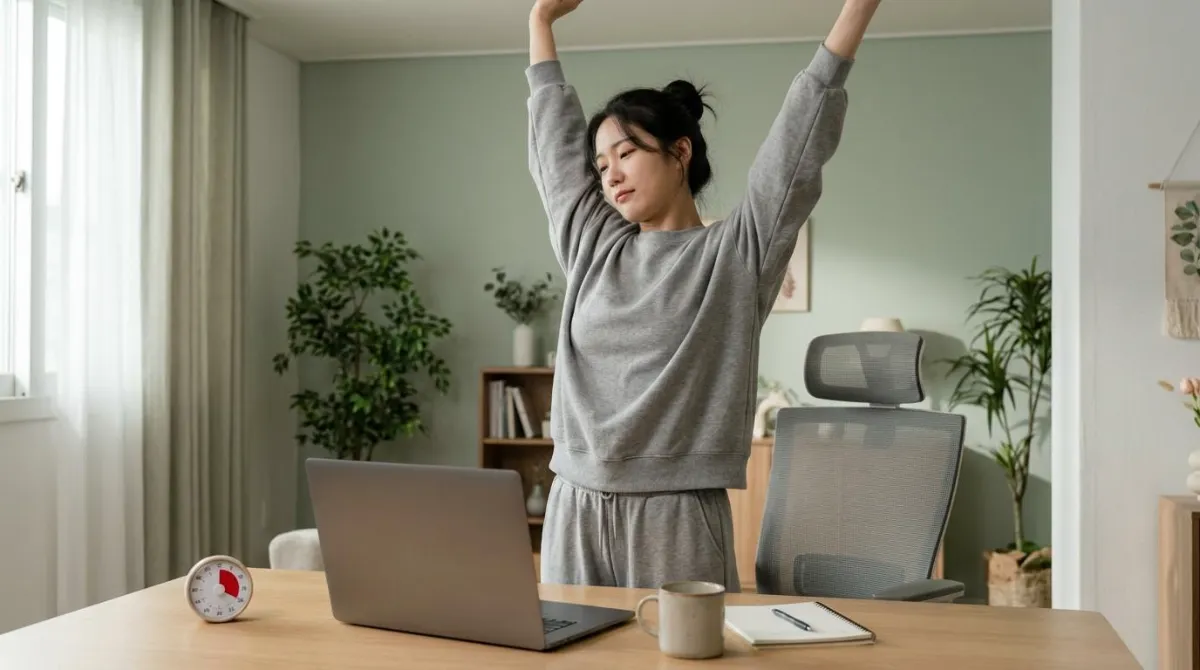
Use a Pomodoro timer like this: work on one task for 25 minutes, stop when it rings, rest for 3 to 5 minutes, and take a 15 to 30 minute break after four rounds.1 The 25 is a starting point, not a law. What matters is that the break is decided before you start.
The catch is that a timer only counts minutes. It has no idea that your head drifted toward the screen at minute 12. This guide covers the rules, the research, and what to do with those 5 minutes.
How to use a Pomodoro timer: the 6 original rules
Francesco Cirillo began developing the technique in the 1980s while preparing for a university exam. He challenged himself to concentrate for just two minutes, using a tomato-shaped kitchen timer.2 Pomodoro is Italian for tomato. The paper he wrote in 2006 and revised in 2007 is stricter than most timer apps suggest.1
- Write down today's tasks and put them in order.
- Set the timer for 25 minutes and start. Keep the remaining time in view.
- Do not split a round. An interrupted round is void, and you start a new one.
- When it rings, stop. "Just a few more minutes" is against the rules. Mark an X next to the task.
- Rest for 3 to 5 minutes. Stand up, walk, drink water. Nothing that takes real mental effort.
- After four rounds, take a longer break of 15 to 30 minutes.
| Block | Length | Rule in the original paper |
|---|---|---|
| One round (a pomodoro) | 25 minutes | Indivisible. When it rings, you stop1 |
| Short break | 3 to 5 minutes | Up to 10 only when especially tired1 |
| Long break | 15 to 30 minutes | After every four rounds, not beyond 301 |
| Ideal round length | 20 to 35 minutes | 40 at the most1 |
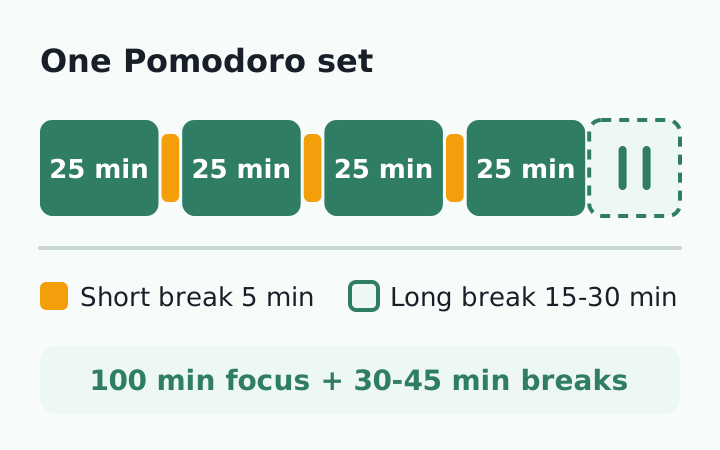
Two details are easy to miss. First, 25 minutes is not sacred. Cirillo wrote that the ideal round is 20 to 35 minutes, 40 at the most, and that 30-minute units (25 of work plus 5 of rest) worked best in his experience.1
Second, the official site says the timer is only part of the practice, and that breaks are "part of the practice, not a reward for doing more."2 Skip the 5 minutes and you are just running a 25-minute alarm.
Does the Pomodoro Technique work? What 4 studies found
Few studies have tested the method directly, and they do not agree. The first three below come from one group at Maastricht University in the Netherlands. Each followed university students for a day or less.
| Study | Who and how | Result |
|---|---|---|
| Biwer et al., 2023 | 87 students, one day. 24 min + 6, 12 min + 3, or breaks at will | Fixed breaks: less fatigue and distraction, more concentration and motivation. Same task completion3 |
| Smits et al., 2025 | 94 students, 2 hours. 25 min + 5, breaks at will, or Flowtime | Fatigue rose faster with 25 + 5. Overall fatigue, productivity and task completion did not differ4 |
| Göksu et al., 2026 | 176 students, a reading task. Fixed short breaks or breaks at will | No difference in performance. Breaks at will gave higher energy, concentration and motivation5 |
| Albulescu et al., 2022 | Meta-analysis of micro-breaks, 22 samples, 2,335 people | Small gains in vigor, small drops in fatigue. No clear gain in performance6 |
The fair summary: deciding your breaks in advance can leave you less tired, but nobody has shown that 25 and 5 are the best numbers. In the two later studies, fixed breaks did no better, and in one of them students who chose their own breaks felt better.45
The benefit of short breaks is also modest. The meta-analysis authors added that recovering from very draining tasks may take breaks longer than 10 minutes.6 So do not fight to protect the number 25. Keep the one idea that holds up: schedule the break before the work begins.
What happens to your body during 25 minutes of focus
A timer does not count how far your chin moved toward the monitor. OSHA notes that holding a static posture, such as viewing a monitor, for a long time without a break can fatigue the neck and shoulder muscles that support the head.7
A team in Thailand tracked the neck angle of 70 female office workers every 20 minutes across 3 hours of computer work. With or without symptoms, their necks moved into more flexion over time.10 At Curtin University in Australia, 20 adults did 2 hours of seated computer work in a lab. Discomfort rose in every body area, and the lower back lost some of its inward curve.11
Not every study shows drift. In a Taiwanese experiment, 21 healthy young adults typed for an hour and their posture did not change much over time. But when they wore a sensor that vibrated whenever they slouched, their neck flexion angle was smaller.12 Drift varies by person and task, and in this study a well-timed signal made a difference.
Workplace safety agencies set break guidance of their own. The numbers differ, but the direction is the same: leave the screen about once an hour.
| Agency | Suggested break | During the break |
|---|---|---|
| OSHA (US) | 5 minutes every hour7 | Look away, stretch, get up or walk |
| HSE (UK) | 5 to 10 minutes every hour, rather than 20 every 2 hours8 | Move around, or at least stretch and change posture |
| CCOHS (Canada) | 5 to 10 minutes for every hour at the workstation9 | Stand up and walk if possible |
A 25 + 5 rhythm breaks more often than any of these. In a Columbia University trial, 11 middle-aged and older adults sat for 8 hours under different schedules. Every walking schedule lowered blood pressure, but only 5 minutes of walking every 30 minutes lowered the blood sugar response.13 It was a small study of single days. For a comparison of schedules, see how often to get up from your desk.
One limit: a 2025 Cochrane review concluded that the evidence is very uncertain about whether extra work breaks change the intensity of back and neck pain.14 That does not make breaks useless. It means good trials are still missing, so use a break to move and change position, not as a promise about pain.
What to do in a 5-minute Pomodoro break
Cirillo called the short break a chance to do something good for your health. He also listed what to avoid: work talk with a colleague, important emails, urgent calls.1
During this break you can stand up and walk around the room, have a drink of water, or fantasize about where you'll go on your next vacation. You can do some deep breathing or stretching exercises.1
Francesco Cirillo, creator of the Pomodoro Technique, The Pomodoro Technique (2007)
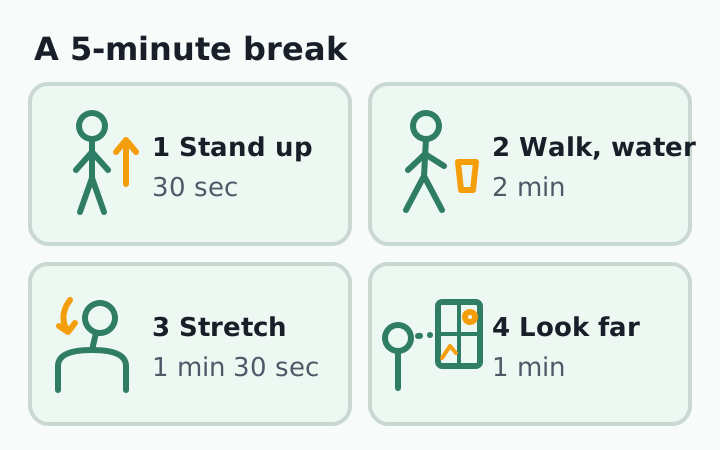
Combine that with the agency guidance and a 5-minute break looks like this. The split is our example, not a finding from a study.
| Time | What to do | Based on |
|---|---|---|
| 0:00 to 0:30 | Set a 5-minute break timer and stand up | Move around, or at least change posture8 |
| 0:30 to 2:30 | Get water or walk around the room | Stand up and walk if possible9 |
| 2:30 to 4:00 | Two or three neck and shoulder stretches, 10 to 20 seconds each | Feel a stretch, not pain9 |
| 4:00 to 5:00 | Look at something far away, then sit down and reset your posture | Look away from the screen7 |
For the stretches, pick from these desk neck stretches. If your eyes feel dry, give the far-away step more time. The reasoning is in monitor distance and the 20-20-20 rule.
Time the break too. Cirillo warned that breaks between rounds that keep running past 5 to 10 minutes can break the rhythm.1
If neck or shoulder pain comes with numbness or tingling in an arm or hand, weakness, or dizziness that does not go away, do not try to solve it by changing your break schedule. See a doctor. The routine above is not a diagnosis or a treatment.
Choosing a Pomodoro timer: 5 things to check
A kitchen timer, a visual timer with a shrinking colored disk, a browser tab or a phone app can all run a Pomodoro. The product matters less than these five points.
- Can you see the time left at a glance? Cirillo wrote that the user should always be able to clearly see how much time is left.1
- Does it time the break as well? If only the 25 minutes are timed, the 5 minutes stretch easily.
- Can you control the sound? The original timer ticks and rings.1 In a library or open office, look for a vibration or on-screen alert.
- Is it separate from your phone? A phone timer puts a device full of notifications in your hand at every start. If you use one, turn on Do Not Disturb.
- Is starting it a single action? One press or one twist, or you will stop using it.
Some people prefer a stopwatch or the Flowtime method, where you work until you choose to stop and the break length depends on how long you worked.4 That suits long stretches of deep work, but nothing tells you when an hour has passed. Add one hourly alert as a backstop.
If your routine runs on Pomodoros, give one minute of each 5-minute break to your body. Stand up, lift your head, and roll your shoulders back, so the next 25 minutes start from a different position.
The timer keeps the time. Posture needs its own cue
A Pomodoro timer gives you a rhythm of focus and rest, and the numbers are yours to adjust. Spend the 5 minutes standing, walking and stretching. Three things to try today:
- Before you start the 25 minutes, write the task for this round in one line
- Set a timer for the 5-minute break too, and stand up as soon as it starts
- Do two neck and shoulder stretches in every break, 10 to 20 seconds each
One problem remains. People skip prompts. In a 1997 study of 92 computer operators at two US work sites, people took only about half of the extra short breaks they were prompted to take.15 And in the 25 minutes before the timer rings, the moment your head slides forward is hard to notice from the inside. What you can do at a desk is build the habit of noticing that moment and coming back.
RightPose AI is a desktop app for Windows and Mac, and it does not replace your Pomodoro timer. While you focus, it uses the webcam on your laptop or monitor to check your posture briefly at a set interval (5 minutes by default) and shows an on-screen alert when it sees forward head posture. It judges against the upright posture you register yourself at setup, and camera images are processed on your device. Let the timer own the minutes and let RightPose AI flag your posture in between.
If you're building a better daily routine around Pomodoros, register your own good posture before your first 25-minute block.
RightPose AI is not a medical device. It is a habit tool that notices your posture and nudges you to reset and stretch.
FAQ
Does a Pomodoro have to be 25 minutes?
No. Cirillo himself put the ideal round at 20 to 35 minutes and 40 at the most.1 If you go longer, stay within the common agency advice of a 5 to 10 minute break every hour.8 Choose the length before you start, and do not change it in the middle of a round.
Is it OK to check my phone during a Pomodoro break?
The original rule is to avoid anything that takes significant mental effort during the short break.1 We did not find a trial showing that phone use ruins recovery, so we will not claim that. The practical cost is simpler: if you keep looking at a screen, the time to stand, walk and look far away is gone. Move first, then check your phone with whatever time is left.
Can I skip breaks if I use a standing desk?
No. In a lab study of 20 adults who did 2 hours of standing computer work, discomfort also rose in every body area over time.16 The issue is staying in one position, seated or standing. Desk height and sit-stand ratios are covered in the standing desk guide.
Will a Pomodoro timer make me more productive?
That has not been shown. The experiments so far mostly measured fatigue, mood and task completion, and task completion and test performance were about the same as with breaks taken at will.35 It is more accurate to see the timer as a tool that makes starting easier and puts breaks on the schedule.
References
- The Pomodoro Technique (v1.3)
- What Is the Pomodoro Technique?
- Understanding effort regulation: Comparing 'Pomodoro' breaks and self-regulated breaks
- Investigating the Effectiveness of Self-Regulated, Pomodoro, and Flowtime Break-Taking Techniques Among Students
- When to Take a Break: Comparing Effects of Systematic Short (Pomodoro) and Self-Regulated Breaks on Subjective Experience and Actual Learning
- "Give me a break!" A systematic review and meta-analysis on the efficacy of micro-breaks for increasing well-being and performance
- Computer Workstations eTool: Work Process and Recognition
- Working safely with display screen equipment: Work routine and breaks
- Office Ergonomics: Stretching at the Workstation
- A comparison of neck and shoulder postures in symptomatic and asymptomatic female office workers in the actual work environment
- The Short Term Musculoskeletal and Cognitive Effects of Prolonged Sitting During Office Computer Work
- Sitting Posture during Prolonged Computer Typing with and without a Wearable Biofeedback Sensor
- Breaking Up Prolonged Sitting to Improve Cardiometabolic Risk: Dose-Response Analysis of a Randomized Crossover Trial
- Work-break interventions for preventing musculoskeletal symptoms and disorders in healthy workers
- Frequent short rest breaks from computer work: effects on productivity and well-being at two field sites
- A detailed description of the short-term musculoskeletal and cognitive effects of prolonged standing for office computer work
This article is for general information only and is not a substitute for medical diagnosis or treatment. If pain persists or worsens, consult a medical professional.